
Encontrar el mejor robot aspirador económico nunca ha sido tan fácil, especialmente ahora que las características antes reservadas para modelos costosos están llegando a máquinas más asequibles. No tienes que gastar una fortuna para obtener un robot aspirador con una succión potente, navegación avanzada e incluso capacidades de vaciado automático: hay muchas opciones excelentes que hacen que limpiar tus pisos sea mucho menos tedioso. En nuestras mejores selecciones, encontrarás modelos fáciles de usar que pueden manejar desde el pelo de mascotas hasta el polvo fino, con diseños bien pensados que incluyen cosas como cepillos de cerdas sin enredos y la opción de una estación de auto-vaciado para hacer el mantenimiento aún más fácil. Algunos aspiradores incluso pueden trabajar con un asistente de voz como Alexa o Google Assistant, lo que te permite iniciar una sesión de limpieza sin levantar un dedo, como lo harías con un robot de gama alta. Ya sea que estés buscando algo simple para mantener la suciedad diaria bajo control o un modelo más inteligente que mapee tu hogar para una limpieza más eficiente, hay un robot aspirador económico que puede encajar perfectamente en tu vida (y en tu sala de estar). Los mejores robots aspiradores económicos para 2025 Pero ahora hay muchas opciones sólidas y más asequibles que ni siquiera existían hace solo cinco años. $200 en Amazon Shark RV765 Modo máximo: Sí | Capacidades de Wi-Fi: Sí | Detección de objetos: Sí | Sensores de precipicio: Sí | Base de carga: Sí | Base de auto vaciado: No | Capacidades de trapeado: No | Peso: 6.6 libras El Shark RV765 es la versión actualizada del RV761 que recomendamos anteriormente. Al igual que el Roomba 694, el Shark RV765 tiene un diseño ligeramente diferente y un tiempo de funcionamiento más largo que el RV761, pero de lo contrario son el mismo aspirador. Aunque aún puedes encontrar el RV761, es un poco difícil hacerlo ahora que el último modelo está disponible. Aunque no hemos probado el RV765, nos sentimos cómodos recomendándolo ya que encontramos que la versión anterior era un gran robot aspirador asequible. Una cosa que el RV765 corrige de la versión anterior es el feo diseño de camisa de bolos de esta última. El nuevo modelo elimina eso y opta por un aspecto más elegante y completamente negro con tres botones para acoplamiento, limpieza y modo máximo. Podrías depender solo de los botones, pero también se conecta a Wi-Fi para que puedas usar la aplicación Shark Clean. En cuanto al tiempo de funcionamiento más largo, eso es solo un bono. El RV761 funcionó durante unos 90 minutos antes de necesitar recargarse, lo que fue suficiente tiempo para limpiar mi apartamento de dos habitaciones. Los 30 minutos adicionales de vida útil de la batería en el RV765 deberían permitirle limpiar espacios más grandes de manera más eficiente, mejorando su rendimiento de limpieza y capacidades de detección de suciedad. Otras cosas que nos gustaron del RV761 incluyen su función de limpieza puntual; ruedas ajustables, que se elevan y bajan automáticamente según el «terreno» y los obstáculos en su camino; y su intuitiva aplicación complementaria que te permite iniciar y detener trabajos de limpieza, programar sesiones de limpieza, asignar zonas sin acceso y más. Pros: – Diseño elegante – Mejora en la vida útil de la batería – Útil función de «limpieza puntual» – Fácil de usar con la aplicación móvil Contras: – Puede ser difícil de encontrar en muchos minoristas $260 en Target Eufy RoboVac 11S Modo máximo: Sí | Capacidades de Wi-Fi: No | Detección de objetos: Sí | Base de carga: Sí | Base de auto vaciado: No | Capacidades de trapeado: No | Peso: 6.34 libras El Eufy RoboVac 11S de Anker fue uno de los aspiradores más baratos que probé, pero también resultó ser uno de los más versátiles. Lo primero a tener en cuenta: este robot aspirador no tiene Wi-Fi, pero viene con un control remoto que te brinda la mayoría de las funciones y características inteligentes que encontrarías en una aplicación (incluida una función de programación de limpieza). Eufy también incluye cepillos y filtros adicionales en la caja. La «S» en el nombre de este robot significa delgado, y es aproximadamente medio pulgada más delgado que todos los demás aspiradores que probé. Esto no solo hace que el 11S Max sea más ligero, sino que fue el único que pudo limpiar debajo de mi mesa de entrada. Este modelo tiene un interruptor de encendido y apagado físico en su parte inferior más un botón en la parte superior que puedes presionar para comenzar una limpieza. Los mejores robots aspiradores económicos para 2025 siempre comienzan en modo automático, que optimiza el proceso de limpieza mientras se desplaza por tu hogar, pero puedes usar el control remoto para seleccionar un modo de limpieza específico como limpieza de puntos y bordes. El 11S Max tiene tres modos de potencia: Estándar, BoostIQ y Máximo, y yo mantuve el mío en BoostIQ la mayor parte del tiempo. Proporcionó suficiente succión para limpiar adecuadamente mis suelos alfombrados, solo dejando unos pocos migajas o trozos de escombros en las esquinas o espacios estrechos alrededor de los muebles. La sesión de limpieza duró aproximadamente una hora y 15 minutos en modo BoostIQ y tiene una notoria capacidad de evitar obstáculos. Claro, chocó contra paredes y algunos muebles grandes, pero fue el único aspirador económico que probé que consistentemente evitó el túnel de juegos de mi gato que está en medio de nuestro salón. En cuanto a los niveles de ruido, definitivamente se puede escuchar la diferencia entre BoostIQ y Máximo, pero ninguno de los tres ajustes es ofensivamente ruidoso. De hecho, apenas podía escuchar el 11S Max cuando estaba en el extremo opuesto de mi apartamento funcionando en modo BoostIQ. Afortunadamente, las alertas de error fueron lo suficientemente fuertes como para avisarme cuando algo salía mal, como la máquina tropezando accidentalmente con un cable de carga rebelde (lo cual solo ocurrió un par de veces y ni el robot ni el cable resultaron dañados en el proceso). En general, el Eufy RoboVac 11S Max me impresionó con su inteligencia, a pesar de su falta de Wi-Fi. La falta de conectividad inalámbrica es probablemente lo peor del robot y eso dice mucho. En este punto, sin embargo, el 11S Max tiene unos años, por lo que podrías optar por el RoboVac G20 si buscas algo similar pero un poco más nuevo. Recomendamos adquirir el G20 Hybrid de $280 si solo buscas una máquina Eufy con algunas de las últimas tecnologías, pero no quieres gastar mucho. Tiene 2500Pa de potencia de succión, navegación dinámica y conectividad Wi-Fi con soporte para comandos de voz de Alexa y Google Assistant. Pros: – El diseño delgado le permite meterse debajo de muebles bajos – Buena potencia de succión para su tamaño – Larga duración de la batería – Súper asequible $140 en Amazon El modo máximo: Sí | Capacidades Wi-Fi: Sí | Detección de objetos: Sí | Base de carga: Sí | Base de autovaciado: No | Capacidades de fregado: No | Peso: 6.6 libras Roborock ha realizado muchas mejoras en su flota de robots aspiradores en los últimos años y el Roborock Q5 es una buena opción básica que a menudo se puede encontrar en oferta por entre $200 y $300. No hay una gran cantidad de funciones especiales en este modelo en particular, pero cumple con lo básico. Admite una potencia de succión de 2700Pa, mapeo de robots de precisión con LiDAR y control de la aplicación y por voz, además de que su contenedor de polvo es bastante grande, con 470 ml. Durante mis pruebas, encontré que el Roborock Q5 es una máquina de limpieza capaz, incluso en alfombras que son excelentes para ocultar una gran cantidad de pelo de gato y mascotas. Su robot aspirador con autovaciado y capacidades de mapeo también son sólidas, y después de cada trabajo de limpieza, la aplicación móvil de Roborock te muestra exactamente por dónde pasó la máquina con pequeñas líneas onduladas que siguen su camino. Eso es útil porque, si por alguna razón la aspiradora no llega a cada lugar en una habitación que deseas que limpie, puedes enviarla de vuelta para que se enfoque usando la función «pin and go». La experiencia de la aplicación de Roborock también ha mejorado: ya no es tan confusa y sin sentido como lo era en años anteriores. Aún no es la aplicación más pulida, pero es mucho más fácil encontrar los controles para acciones básicas como iniciar una limpieza, elegir habitaciones específicas o zonas para limpiar, y similares. Solo desearía que la herramienta de programación estuviera más visible: está oculta en un menú, pero también está escondida en ese menú una función favorita personal que no es muy común en los robots aspiradores: el control remoto. Roborock te ofrece la opción de botones en pantalla o un joystick para controlar manualmente los movimientos de la máquina. Los mejores robots aspiradores económicos para 2025 Mientras que totalmente innecesario, es una característica conveniente de tener si eres muy particular sobre dónde quieres que tu robot aspirador limpie, o si simplemente extrañas la experiencia de manejar un coche a control remoto. Pros: – Buen poder de succión – Buenas capacidades de mapeo del hogar – Depósito de polvo decentemente grande – Mejora la experiencia de la aplicación compañera Contras: – No tiene muchas características adicionales ¿Son los robots aspiradores que valen la pena? Dado que he probado docenas de robots aspiradores, a menudo me preguntan si estos dispositivos «valen la pena» y diría que la respuesta es sí. Lo más grande que ofrecen es conveniencia: simplemente enciende un robot aspirador y aléjate. La máquina se encargará del resto. Si aspirar es una de tus tareas menos favoritas, o simplemente quieres pasar menos tiempo manteniendo tu hogar ordenado, un robot aspirador semiautónomo es una gran inversión. Muchos modelos, aunque más caros, incluso vienen con características como una estación de auto vaciado para reducir aún más el mantenimiento. Hay muchas otras cosas buenas sobre ellos, pero antes de profundizar, consideremos los mayores compromisos: menos potencia, menos capacidad y menos flexibilidad. Esos dos primeros van de la mano; los robots aspiradores son mucho más pequeños que las aspiradoras verticales, lo que lleva a una succión menos potente. También contienen menos suciedad porque sus contenedores integrados son una fracción del tamaño de un contenedor o bolsa de vacío estándar. Afortunadamente, algunos modelos incluyen características como una estación de auto vaciado, que ayuda con la capacidad de suciedad, especialmente en hogares con pelo de mascotas. En cuanto a la flexibilidad, los robots aspiradores hacen las cosas de manera diferente a las aspiradoras estándar. Puedes controlar algunos con tu teléfono inteligente, programar horarios de limpieza y más, pero los robots aspiradores tienen principalmente la tarea de limpiar suelos. Por otro lado, sus contrapartes verticales pueden venir con varios accesorios que te permiten limpiar sofás, escaleras, accesorios de iluminación y otros lugares de difícil acceso. Qué buscar en un robot aspirador económico Cuando buscas el mejor robot aspirador barato, una de las primeras cosas que debes considerar son los tipos de suelos que tienes en tu hogar. ¿Tienes principalmente alfombras, azulejos, laminados, madera dura? Las alfombras requieren aspiradoras con una potencia de succión fuerte que puedan recoger los desechos empujados hacia rincones y recovecos. Desafortunadamente, no hay una métrica universal por la cual se mida la succión. Algunas compañías proporcionan niveles de Pascal (Pa) y, en general, cuanto más alto sea el Pa, más fuerte será. Pero otras compañías no se basan en los niveles de Pa y simplemente dicen que sus robots tienen X veces más potencia de succión que otros robots aspiradores. Entonces, ¿cómo puedes asegurarte de que estás obteniendo el mejor robot aspirador barato para limpiar tu tipo de suelo? Lee la descripción del producto. Busca detalles sobre su capacidad para limpiar suelos duros y alfombras, y verifica si tiene un modo «máximo» que puedes usar para aumentar la succión. Si se te da una medida de Pa, busca alrededor de 2000Pa si tienes principalmente suelos alfombrados. Presta atención también al mecanismo del cepillo, especialmente si estás lidiando con pelo de perro u otros desechos obstinados que pueden causar enredos. Muchos modelos económicos utilizan cepillos de cerdas, mientras que otros ofrecen diseños sin enredos para minimizar el mantenimiento. También puedes encontrar que algunos robots aspiradores económicos ofrecen capacidades de aspirado/fregado combinadas. Estos robots cuentan con un tanque de agua, lo que significa que pueden ofrecer funcionalidad de fregado, mejorando la recogida de desechos y resultando en suelos brillantes. Sin embargo, estos son menos comunes cuando estás comprando en el rango de precios más bajo. El tamaño también es importante por dos razones: altura y almacenamiento de suciedad. Verifica las especificaciones de la altura del robot para ver si puede llegar debajo de los muebles que tienes en tu hogar. La mayoría de los robots no podrán limpiar debajo de un sofá (a menos que sea un sofá muy alto y muy extraño), pero algunos pueden llegar debajo de mesas de entrada, mesitas de noche y similares. En cuanto al almacenamiento de suciedad, busca la capacidad en mililitros del contenedor de polvo del robot; a mayor capacidad, más suciedad puede recoger la aspiradora antes de que tengas que vaciarla. También debes verificar las capacidades de Wi-Fi del robot que estás considerando. Aunque puedas pensar que eso es una característica común en todos los dispositivos para el hogar inteligente, no lo es. Algunos de los modelos más asequibles no tienen la opción de conectarse a tu red Wi-Fi doméstica. Si eliges un robot aspirador así, no podrás dirigirlo con una aplicación de teléfono inteligente o con controles de voz. Otra característica que suele reservarse para los robots conectados a Wi-Fi es la programación, ya que la mayoría de ellos usan una aplicación móvil para configurar horarios de limpieza. Pero los aspiradores sin Wi-Fi suelen venir con controles remotos que tienen todas las funciones básicas que ofrecen las aplicaciones móviles compañeras, incluidos inicio, parada y regreso a la base. Y si te preocupa la posibilidad de hackeo, un robot aspirador sin acceso a tu red Wi-Fi es la mejor opción. La detección de obstáculos y los sensores de acantilado son otras características clave a tener en cuenta. La primera ayuda al robot aspirador a navegar alrededor de los muebles mientras limpia, en lugar de empujarse sin sentido contra ellos. Muchos también ofrecen zonas de prohibición, que te permiten bloquear áreas a las que no quieres que el robot entre. Los mejores robots aspiradores económicos para 2025, mientras que los sensores de borde evitan que los robots aspiradores se caigan por las escaleras, haciéndolos ideales para casas de varios niveles.
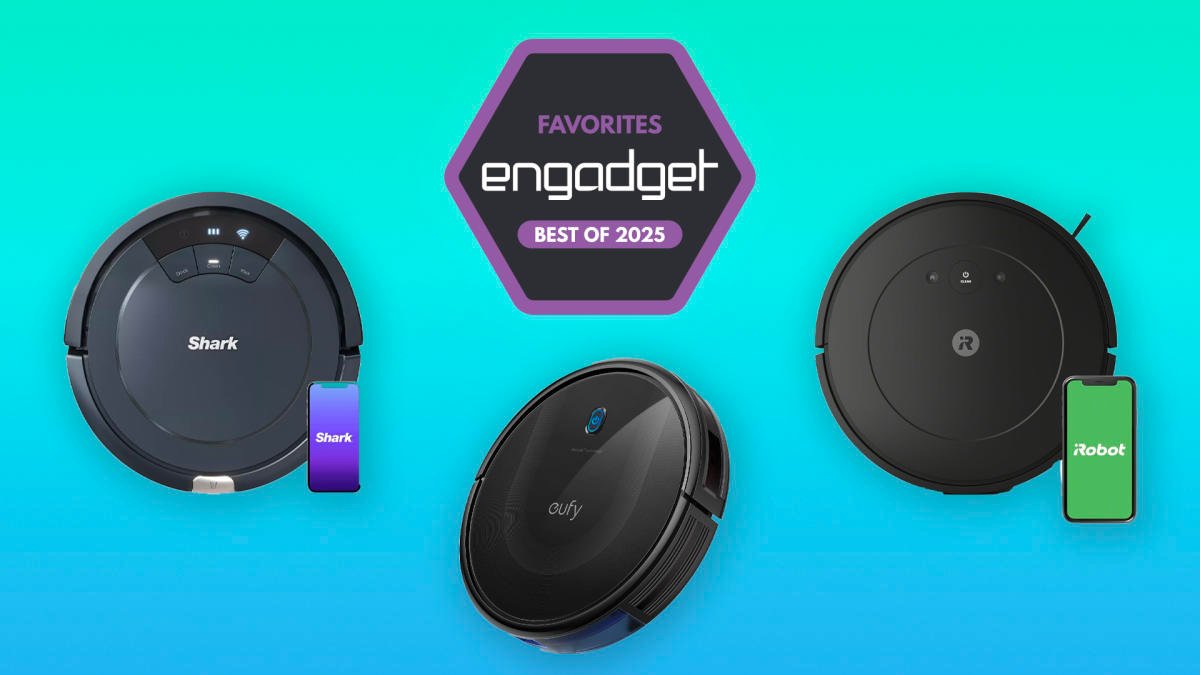
Finding the best budget robot vacuum is now easier than ever, as features once only available in expensive models are now found in more affordable options. You can now find a robot vacuum with strong suction, advanced navigation, and even auto-empty capabilities without breaking the bank. With a variety of great choices available, cleaning your floors has never been simpler.
Our top picks include user-friendly models that can handle pet hair, fine dust, and more. These vacuums feature thoughtful designs such as tangle-free bristle brushes and the option for a self-empty station for easy maintenance. Some models even work with voice assistants like Alexa or Google Assistant, allowing you to start a cleaning session with just a voice command.
Whether you need a simple robot vacuum to keep daily dirt at bay or a smarter model that can map your home for efficient cleaning, there is a budget-friendly option that will fit seamlessly into your life and living space.
Check out our list of the best budget robot vacuums for 2025 to find the perfect cleaning companion for your home. However, there are now many more affordable and reliable options available that were not on the market just five years ago.
- Simple yet attractive design
- Good suction power for its size
- Easy to use mobile app
- Cannot fit under low furniture
$200 at Amazon